
Planning an event takes a lot of moving pieces. You have to set the date, find the venue, manage the guest list and make sure everyone knows how to RSVP. If you have ever tried to juggle all of this through email, text or social media, you know how messy it can get. That is where pairing a Google Form RSVP with Nibbitt Smart Pages changes everything.
Instead of sending your guests scattered links or instructions, you can give them a single event hub that handles everything in one click. Here is how it works and why it makes your life easier.
Why Google Forms Are Great for RSVPs
Google Forms are free, simple and customizable. You can collect guest names, meal preferences, contact info or anything else you need for your event. The responses feed into a Google Sheet, so you have all your information in one place.
But sending just the form link can feel impersonal. It can also get lost in text messages or emails. People may forget where to click or mix it up with other links. That is where Nibbitt comes in.
Turning RSVPs Into Event Hubs
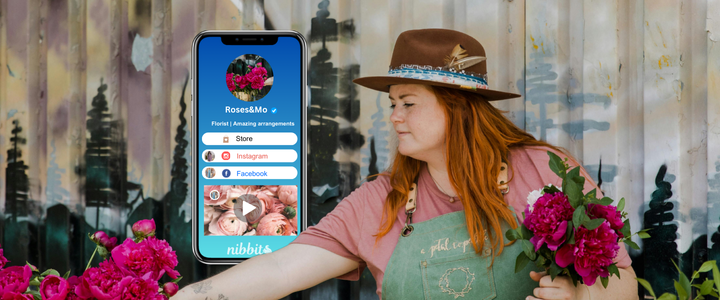
Nibbitt Smart Pages are easy-to-build bio link pages. Instead of sharing a bare Google Form link, you can create a polished event page with everything guests need in one spot.
Here is what you can include:
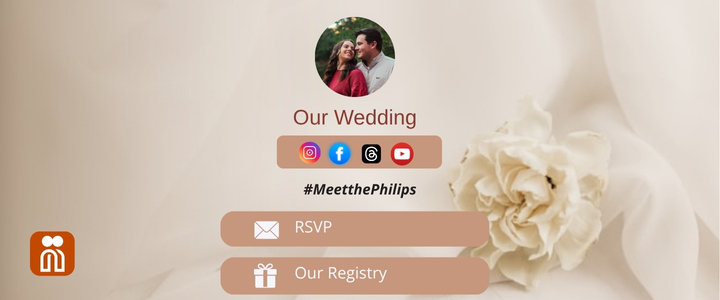
· A clear RSVP button that links straight to your Google Form.
· Event details like time, date, location and dress code.
· A map link or directions.
· A link to your event playlist, registry or donation page.
· Social sharing links so guests can spread the word.
In other words, you are not just sending a form. You are giving your guests a full event hub they can bookmark and return to anytime.
Why Pair Nibbitt with Google Forms
Pairing a Google Form RSVP with Nibbitt gives you benefits that a plain form link cannot:
Professional look. Guests feel more engaged when they see a polished event page instead of a raw form link.
One link for everything. You do not have to send multiple messages with separate links. Everything is in one place.
Trackable links. Nibbitt gives you analytics. You can see how many people clicked your RSVP button, how often they returned to the page and what other links they used.
QR codes. Generate a Nibbitt QR code that points to your event hub. Print it on invitations or posters. Guests can scan and RSVP instantly.
Easy updates. If event details change, you do not need to resend links. Just update your Smart Page and everyone will see the latest information.
Real-Life Uses
This setup works for all types of events:
· Weddings: Share your RSVP, registry, venue details and hotel info in one place.
· Birthdays: Make it easy for friends to RSVP, see the party theme and get directions.
· Fundraisers: Collect RSVPs, add a donation link and share event details.
· Business events: Provide a professional RSVP form alongside schedules, speaker bios and venue maps.
No matter the occasion, you save time, look organized and give your guests a better experience.
Why Nibbitt Over Other Tools
It is true you can send a Google Form link without using Nibbitt. But if you want to impress guests, track responses and simplify the process, other tools fall short.
Nibbitt is built for people who want more than just a link. With Smart Pages, trackable QR codes, shortened Bitt Links and analytics, you get tools that make you look professional and keep you in control. Plus, when everything is under one roof, you spend less time managing your event tech and more time enjoying the event itself.
Event planning does not have to feel overwhelming. With Google Forms and Nibbitt, you can create a simple RSVP process and a clean event hub in minutes. Your guests will thank you and you will thank yourself later.
Ready to make your event smoother? Start using Nibbitt today.