
A flash sale can create excitement, boost sales and clear inventory fast. But the challenge is getting your audience to notice and act in time. Trackable QR codes from Nibbitt turn your flash sale into a direct, measurable call to action that’s quick to set up and simple for customers to use. Whether you’re a small business owner, a creator or an event organizer, pairing a limited-time offer with QR codes can help you generate more clicks, capture valuable data and improve future campaigns.
Why QR codes are perfect for flash sales
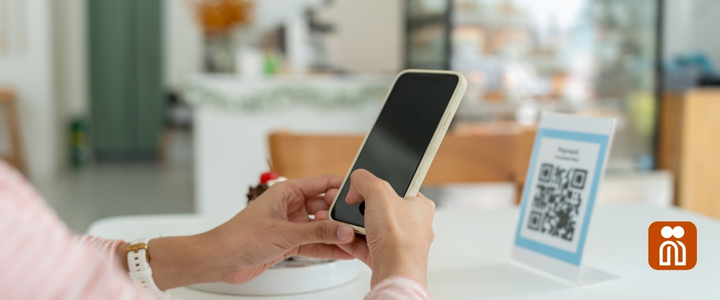
Flash sales are about speed and urgency. You need a tool that can get your offer in front of people instantly without requiring them to type in a long URL or search for your site. QR codes provide that instant connection. Customers scan with their phones and are taken directly to your sale page.
With Nibbitt, you get more than a basic QR code. Every code you create is trackable, meaning you can measure scans in real time, see where they come from and learn which placements perform best. You’ll know within hours whether your QR code on a storefront sign or a flyer is driving the most traffic.
Plan your offer and timeline
Before creating your QR code, define your flash sale details. Decide on:
- The products or services you’ll discount.
- The percentage or dollar amount off.
- The exact start and end times.
- Any purchase limits.
Clear parameters keep your offer focused and help you promote it effectively. Since Nibbitt allows you to update your QR code’s destination link at any time, you can prepare marketing materials early and swap in the sale page link right before launch.
Create your QR code with Nibbitt
Once your offer is ready, it takes just a few steps to generate a Nibbitt QR code:
- On the dashboard, click Quick shortener.
- Enter your link and click the Customization button.
- Add a custom alias so when customers scan the QR code they see your custom link name instead of a random set of letters.
- Customize further by adding the link to a channel, adding a description or other details.
- Once customization is complete, click the Shorten button.
- When shortened, a QR code is automatically generated and ready to download.
Because Nibbitt QR codes are trackable, you’ll have access to scan data including location, device type and total interactions.
Place QR codes where your audience looks
Placement is key for getting people to scan. QR codes work best when they take someone from a physical location to an online destination. For in-person promotions, add your QR code to:
- Storefront windows.
- Product displays.
- Event signage.
- Flyers or posters.
- Receipts or bag inserts.
These settings make it easy for customers to scan without needing another device.
For digital promotions such as email campaigns or social media posts, use Nibbitt shortened links, Bitt Links, instead of QR codes. Direct links are faster to click, easier to share and still provide the same detailed tracking in your Nibbitt dashboard.
Enhance your flash sale page
A fast-loading, mobile-friendly sale page makes all the difference. Since most people scanning your QR code will be on a phone, ensure the page is optimized for mobile. Include:
- A clear headline announcing the sale.
- The discount amount and any promo code needed.
- A countdown timer to create urgency.
- Prominent “Buy now” or “Shop the sale” buttons.
If you use Nibbitt’s smart pages, you can host your flash sale details alongside other important links, keeping your digital presence cohesive and professional.
Use Nibbitt features to maximize impact
Nibbitt’s platform offers more than just QR codes. You can:
- Add pixels to your QR-linked page to retarget visitors with future ads.
- Use link rotators to split traffic between variations of your sale page and see which converts best.
- Redirect links after the sale ends to point visitors to your next offer or main store page.
- Insert polls or pop-ups to gather quick feedback from participants.
These features turn a simple flash sale into a data-rich campaign that builds customer relationships and informs your next marketing move.
Monitor and adjust in real time
One of the biggest advantages of Nibbitt QR codes is the ability to track performance as your sale unfolds. If you notice certain placements are outperforming others, you can adjust your marketing in real time. For example, if your flyer QR code is driving most scans, you might boost it with a paid ad for the remainder of the sale.
After the sale ends, review your analytics to see which channels delivered the highest engagement and conversions. Apply those insights to plan an even stronger promotion next time.
Keep the momentum going
A flash sale can attract new customers who may not have purchased from you before. Use Nibbitt’s tools to keep them engaged:
- Retarget them with special offers.
- Share exclusive previews of upcoming sales.
- Invite them to follow your social channels via your smart page.
The data you collect from your QR codes and linked pages becomes a powerful resource for building ongoing customer loyalty.
The bottom line
QR codes are no longer a novelty. They are a proven tool for connecting audiences to time-sensitive offers quickly and seamlessly. With Nibbitt, you can create branded, trackable QR codes that not only drive sales but also give you the data you need to make every campaign better than the last. Whether you’re promoting an online store, a pop-up event or a limited-edition product, Nibbitt makes it easy to launch a flash sale that stands out and delivers results.
Ready to boost your next promotion? Start using Nibbitt to create trackable QR codes and turn your flash sale into a high-performance campaign that drives revenue and insights.