
Virtual meetings are now a standard part of business life. Teams connect across cities, clients meet without travel and events can reach people around the world. But one challenge remains the same: sharing the right link and supporting materials at the right time. If you’ve ever fumbled through emails or lost track of the right meeting link, you know how frustrating it can be. That’s where Nibbitt comes in.
The problem with sharing meeting links
When you send out a meeting invite, you usually attach a link. Later, someone asks for the agenda, the slides or the recording. Suddenly you’re juggling multiple emails, cloud storage folders and chat messages. It’s easy for things to get chaotic. This creates three common problems:
· Confusion about which link is current.
· Time wasted digging through messages.
· Missed opportunities when people can’t access what they need.
All of this adds up to unnecessary stress and reduced productivity.
How Nibbitt simplifies virtual meeting sharing
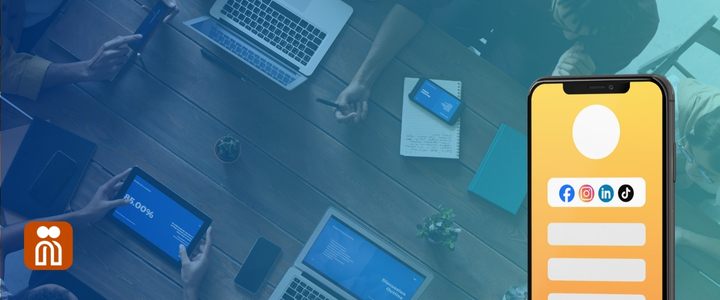
Nibbitt gives you one link that does it all. Using a Smart Page, you can create a simple landing page that holds your meeting link, agenda, slides and supporting files. Instead of sending out multiple links, you just share one.
Here’s what makes this powerful:
· Smart pages: Organize your meeting links, resources and follow-up materials in one place.
· Bitt Links: Share shortened, trackable links that look professional and easy to click.
· Trackable QR codes: Create QR codes for in-person or hybrid events so attendees can scan and instantly access the page.
· Analytics and performance data: See how many people clicked your link, which files got the most attention and who engaged.
This means you can manage your meetings more effectively and keep your team or audience focused on the actual discussion instead of logistics.
Real-world uses for Nibbitt in meetings
Nibbitt works across industries and situations. Here are a few examples:
· Client presentations: You’re hosting a client meeting on Zoom. Instead of sending the Zoom link, a separate PDF proposal and a follow-up email later, you create a Smart Page. It has the meeting link at the top, the proposal document ready for download and even a recording link you’ll drop in afterward. The client always knows where to go.
· Team training sessions: For training, it’s common to provide slides, handouts and recordings. With Nibbitt, all of that information lives in one Smart Page. You can update the page after the session ends, and your team doesn’t need a new link.
· Virtual conferences: Event organizers can set up Smart Pages for each session or track. Attendees scan a QR code on the program and access everything they need. It keeps the event running smoothly and cuts down on repetitive questions.
· School and nonprofit meetings: Teachers, nonprofits and community groups often run meetings with volunteers or parents who may not be tech-savvy. Nibbitt makes it simple by giving them one clear link to follow, no matter the platform or materials involved.
The benefits of using Nibbitt
Using Nibbitt for virtual meetings saves time, reduces confusion and increases engagement. Instead of sending multiple emails or messages, you streamline everything into one hub. People don’t have to search for the latest document and you don’t have to repeat yourself.
The analytics feature gives you insight into what participants actually use. Maybe your team isn’t opening the agenda but spending time on the training video. That knowledge helps you adjust your approach and prioritize what matters.
Nibbitt also makes you look more professional. Whether you’re dealing with clients, executives or new employees, a branded Smart Page shows you value clarity and organization. It’s not just about convenience; it’s about making the right impression.
Easy setup and flexibility
Getting started is simple. You create an account, set up your Smart Page and drop in your links and files. You can customize it to match your branding, use your own domain and adjust the layout to fit your style. Updating is fast and doesn’t require any technical skills.
Once the page is ready, you can share it through a Bitt Link or QR code. If something changes, like a new Zoom link, you just update the Smart Page. Everyone who has the link or QR code will always see the most current information.
Why Nibbitt is worth it
With Nibbitt, you’re getting a streamlined, professional solution that helps you save time and reduce stress. The small investment pays for itself in fewer mistakes, stronger communication and a smoother meeting experience.
If you value clear communication and efficiency, Nibbitt is the solution you’ve been looking for.
Meetings don’t have to be a hassle. With Nibbitt, you can make every virtual meeting smoother, clearer and more professional. Stop juggling emails and links and start sharing with confidence.
Start using Nibbitt today and make your meetings easier for everyone.