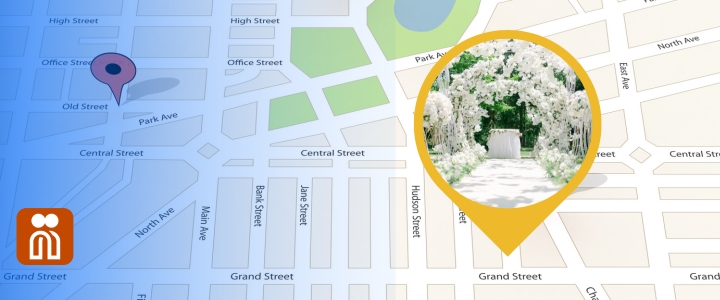

Your wedding day is one of the most important events in your life. With guests coming from near and far, it’s essential to make it easy for everyone to navigate between the ceremony, reception and any other celebration locations. Nibbitt makes that possible by letting you embed a Google Map with multiple venue locations directly on your smart page.
Whether you’re hosting your ceremony at a chapel, your reception at a vineyard or brunch at your favorite café the next morning, you can display all your event details on one customized map. This feature keeps everything in one place and ensures guests stay on schedule with zero confusion.
Why Use Google Maps on Your Nibbitt Page?
Your Nibbitt smart page acts as the digital home for your wedding information. From your registry and RSVP form to your dress code and photo album, guests can find everything they need. Adding Google Maps takes it one step further by offering real-time, interactive navigation that people can access from their phones.
Unlike printing addresses or sharing screenshots, Google Maps on your Nibbitt page allows guests to tap on a location and get directions instantly. This helps reduce the number of texts you’ll get on your big day asking where to park or how to get to the after-party.
How to Add Multiple Locations to Google Maps
Open Google Maps
Start by signing into your Google account and visiting Google My Maps. This is where you’ll create a custom map with all your wedding stops.Create a new map
Click the “+ Create a New Map” button. Name your map something recognizable like “Taylor and Jordan’s Wedding.”Search and add your locations
Use the search bar to find each venue. Once a location appears, click “Add to map.” You can do this for all venues, including ceremony, reception, lodging and brunch spots.Customize your pins
After adding each location, click the paint bucket icon to change the pin color or style. For example, use a heart for the ceremony and champagne glass for the reception. This visual organization helps guests see at a glance what each location represents.Add notes and details
You can add notes for each pin like parking instructions, start times or tips for those with mobility needs. These extra details save time and stress for your guests.Grab the embed code
Once your map is complete, click the preview button to view the map. A preview will open in a new tab. If you are happy with the map, click the share button. From the drop-down list, select “Embed on my site.” Copy the iframe code provided.
How to embed the map in Your Nibbitt Smart Page
Now that your map is ready, it’s time to embed it into your Nibbitt smart page. Nibbitt supports custom HTML blocks, making it easy to paste your Google Maps embed code.
Log into your Nibbitt dashboard.
Select your wedding smart page.
Add a new content block and choose the HTML option.
Paste your Google Maps embed code.
Save and preview your page.
Your guests will now see the interactive map right on your wedding page, alongside your other important details like registry links and RSVP forms.
Pro Tips for Using Google Maps on Your Nibbitt Page
Optimize for mobile: Keep map pins clearly labeled and avoid crowding too many locations in a small area. Test the view on your phone to make sure everything looks clean.
Highlight accessibility: Use the notes section in Google Maps to mention wheelchair accessibility, nearby restrooms or elevator access if needed.
Include parking options: Guests appreciate knowing where to park. Add pins for recommended parking lots and garages.
Update your map if anything changes: If the forecast moves your ceremony indoors, update your Google Map and swap the embed code on your Nibbitt page. Real-time updates keep guests informed and reduce confusion.
Why Nibbitt is the perfect tool for weddings
Your wedding website should be easy to update, look professional and help guests stay informed. Nibbitt offers more than just a wedding smart page. You can track engagement, share RSVP forms and give family and friends one place to access every important link.
Want to remind guests where to go? Use a trackable QR code on your save-the-dates or signage that links to your Nibbitt page. You’ll get data on how often it’s used and know your page is getting seen.
From custom designs to real-time updates, Nibbitt gives couples the tools they need to communicate clearly with their guests without paying for bloated website builders or juggling multiple apps.
Ready to simplify your wedding planning? Start using Nibbitt today and keep your celebration on track.